You can build an online course and put it in front of learners without paying for anything. The recording, editing and design software all have genuinely free versions, and several platforms will host your course and take the payments without charging you up front. Where the free routes differ is in what they take back instead: a share of every sale, a hard limit on how much you can publish, or the job of finding every single learner yourself.
What follows is the whole build, from working out what the course teaches to deciding where it lives. One piece of research about how people actually watch course video settles most of the early decisions, so it arrives at step three rather than as a footnote at the end.
Can you really create an online course for free?
Yes, and every link in the chain has a free option that is not a trial. OBS Studio records your screen and your camera, is open source and runs on Windows, macOS and Linux. DaVinci Resolve has a free version that handles 8-bit video up to Ultra HD at 60fps, next to $295 for the Studio edition. Canva’s free plan covers slides, worksheets and a course thumbnail, with 5GB of storage and a brand kit holding three colours.
Hosting is where the word “free” starts to mean several different things. A marketplace costs nothing to publish on and takes a percentage of what you earn. An all-in-one course tool may have a permanent free tier with a cap on how much you can put in it. Open source software is free to download and install, and you pay for the server it runs on. All three are real answers, and step six goes through them with the numbers.
Two platforms that older guides still list as free have changed. Teachable’s cheapest plan is now Starter at $39 a month, or $29 a month billed annually, with a 7.5% transaction fee and a five-product limit. Thinkific has replaced its free plan with a 30-day trial and starts at $54 a month, or $40 billed annually. If a list of “free course platforms” recommends either one, it was written before the change and the rest of it is worth checking too.
Step 1: decide what one person can do when they finish
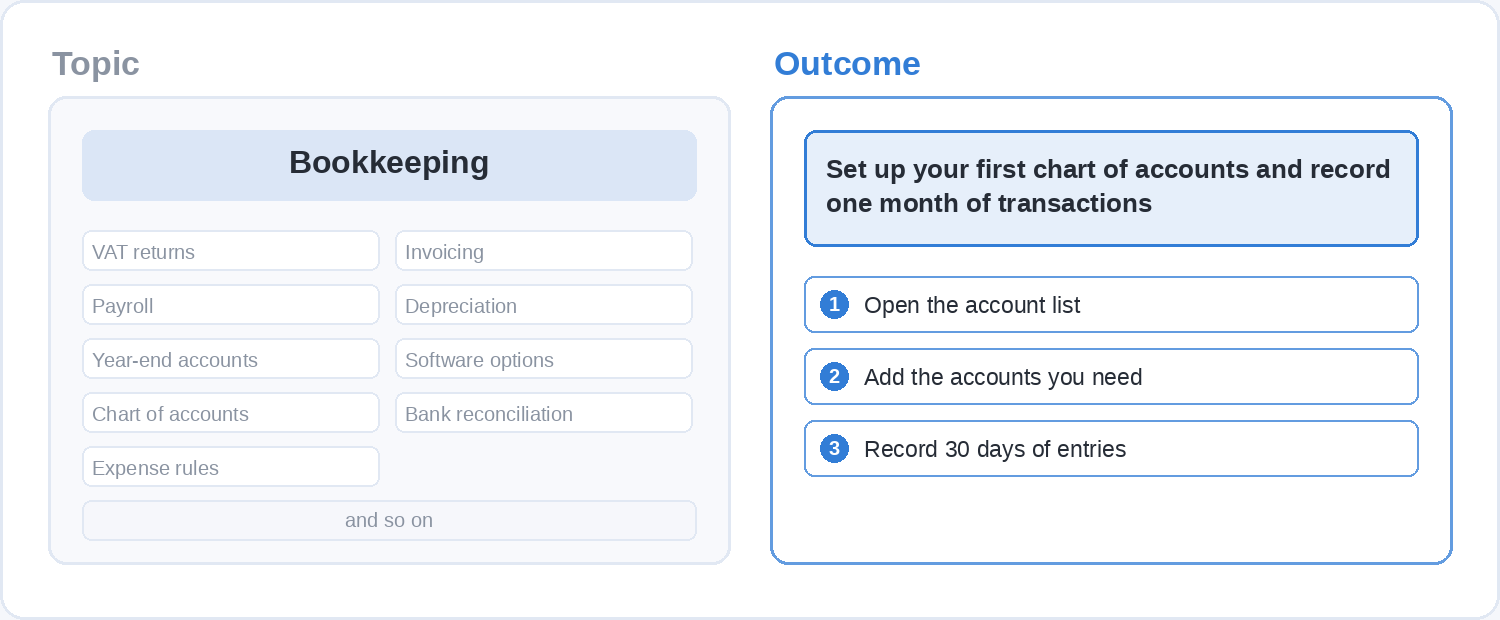
Start from the outcome rather than from the subject. “Bookkeeping” is a subject and it could absorb a year of your life. “Set up your first chart of accounts and record a month of transactions” is an outcome, and it tells you immediately what belongs in the course and what belongs in a different one.
Make it smaller than feels respectable. The free courses on Soofos are mostly built this way, and you can see the shape of them on the free courses page: a seven-day creative challenge, a five-step introduction to turning Google Ads into webshop revenue, a short programme on encouraging language development in a child under four. Each one solves a single problem for a specific person, which is a large part of why learners get to the end of them.
Write your outcome down as one sentence and keep it in front of you while you build. Anything that does not move a learner towards that sentence goes into a later course, a blog post, or nothing at all.
Step 2: work backwards from the outcome to a lesson list
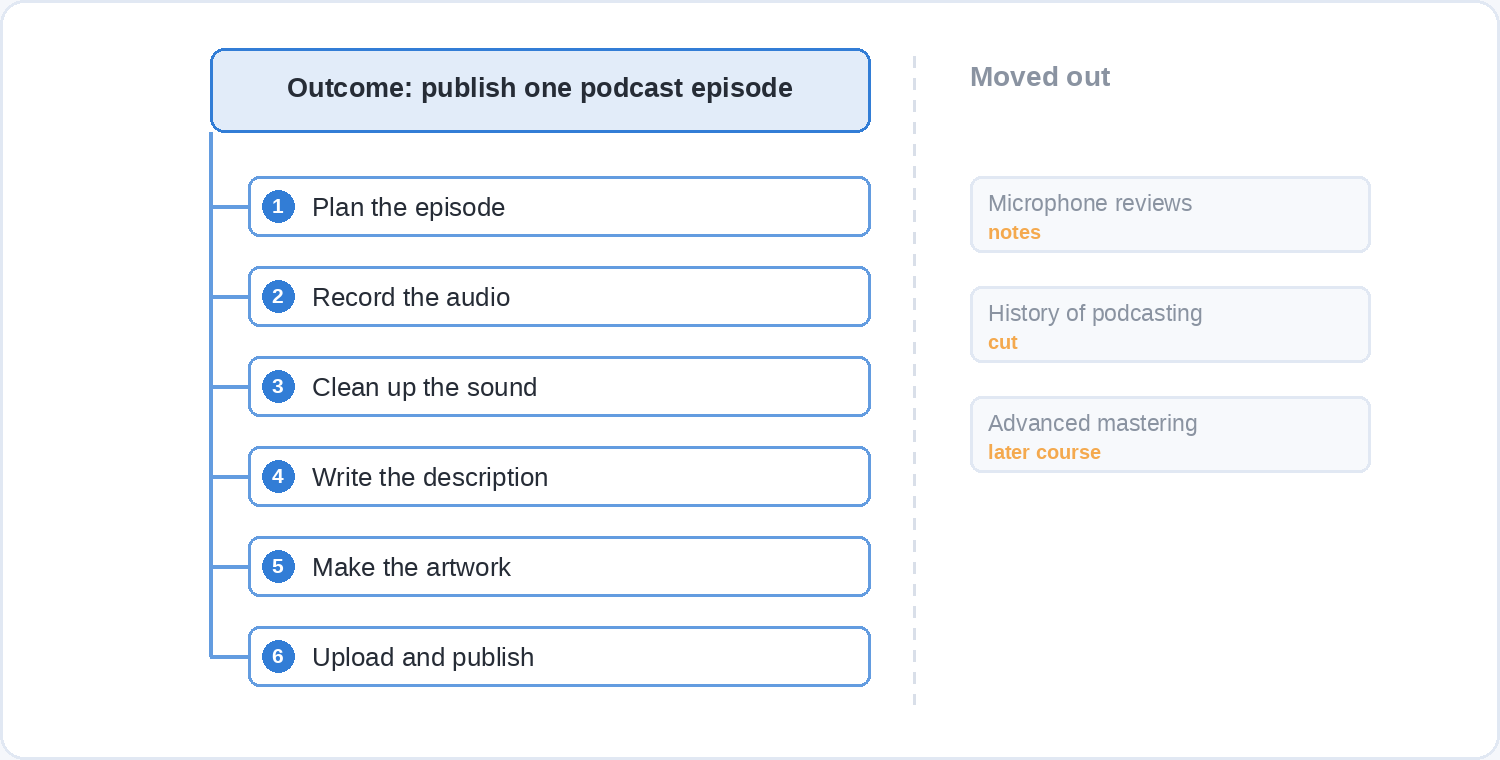
Break the outcome into the steps a learner has to take in order, and make each step one lesson. A course that teaches someone to record and publish a podcast episode needs a lesson for planning it, one for recording, one for cleaning up the audio, one for artwork and a description, and one for getting it onto a host. That list of steps is your curriculum, and you wrote it in five minutes.
Now test each lesson by deleting it. If a learner could skip that lesson and still reach the outcome, it belongs in the course notes, in an optional download, or out. First courses are routinely twice as long as they need to be because the maker has put in everything they know rather than everything the learner needs, and the extra material is what stops people finishing.
Somewhere between six and twelve short lessons is a sensible shape for a first free course. That is enough to deliver a real result and short enough that you will actually record all of it in the time you have.
Step 3: keep each lesson under six minutes
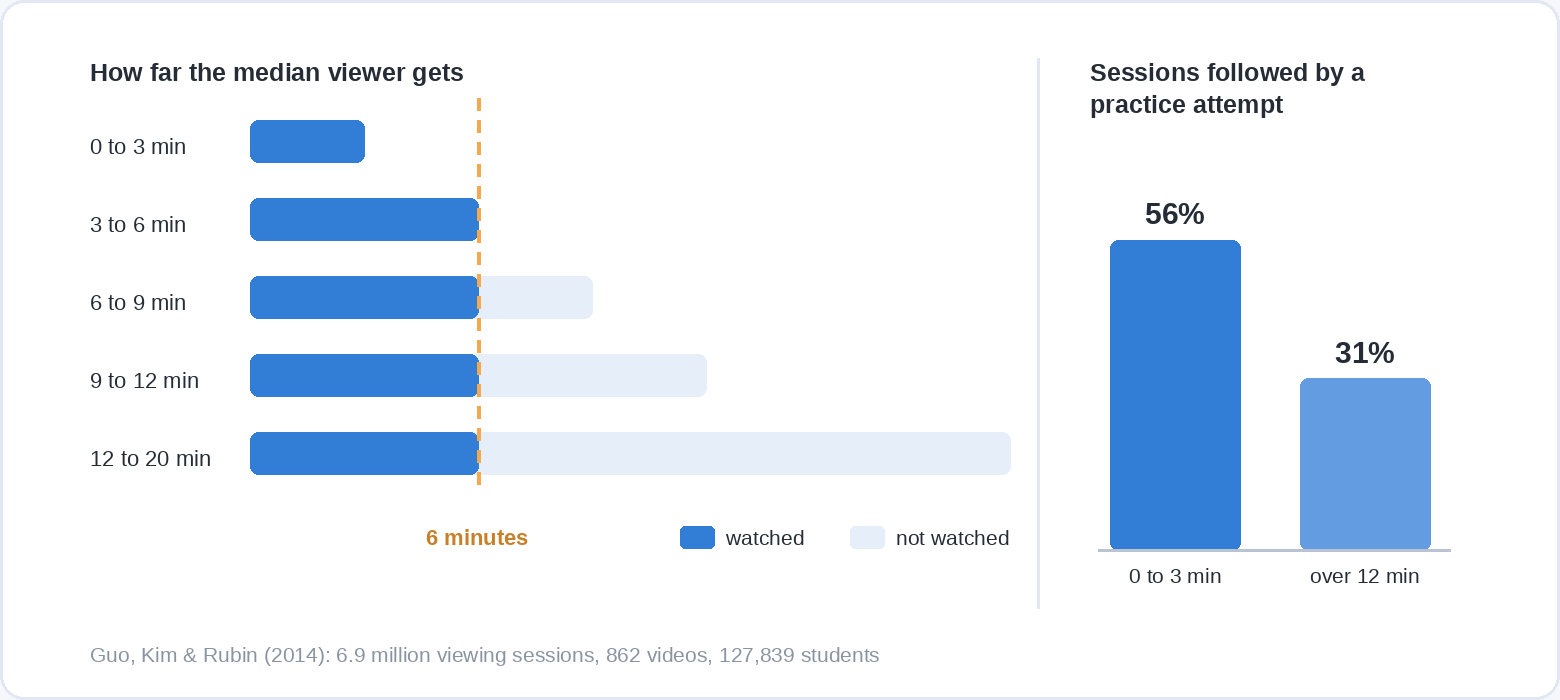
This is the one design decision with hard numbers behind it. Philip Guo, Juho Kim and Rob Rubin analysed 6.9 million video watching sessions from 862 videos across four edX courses, covering 127,839 students, and presented the results at the ACM Learning at Scale conference in 2014. Median engagement time was at most six minutes regardless of how long the video actually was. Past nine minutes, students often did not make it halfway through.
The same study shows what that does to the rest of the lesson. On videos of three minutes or less, 75% of viewing sessions ran past three quarters of the video, and 56% of sessions were followed by an attempt at a practice problem. For the longest videos the attempt rate fell to 31%, so a long lesson also costs you the practice that was meant to follow it.
Two more findings from that dataset are worth building into the way you record. Tablet drawing in the style of Khan Academy, where the explanation appears on screen as you talk through it, held attention 1.5 to 2 times longer than slides on their own. Video showing the instructor’s face next to the material also outperformed material alone: in one course 46% of talking-head sessions were followed by a problem attempt, against 33% for the rest.
Put together, that is a recipe rather than a set of tips. Aim each lesson at four to six minutes, put your face on screen for at least part of it, and build the explanation in front of the learner instead of revealing a finished slide.
Step 4: record it with what you already own
The instructor requirements Soofos publishes are a useful benchmark here, because they are what a real platform will actually accept: mostly self-made video at 720p or better with clear audio, and a complete course with a genuine learning outcome. The gear list it gives alongside that is a laptop, a good microphone, and a camera or a smartphone.
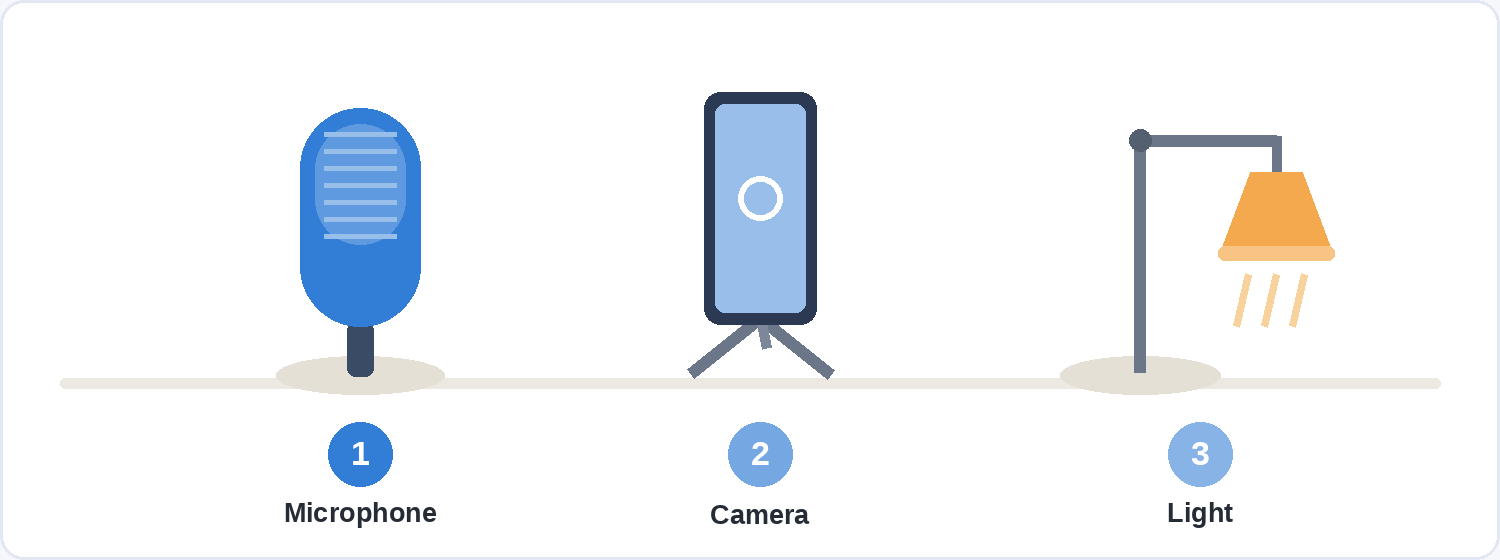
Put whatever money you have into the microphone rather than the camera. Viewers forgive a soft picture and abandon bad sound, and a phone recording your voice from a short distance away will beat a laptop microphone sitting across the desk for nothing at all. Record somewhere with soft furnishings rather than a hard empty room, and the difference is larger than most equipment upgrades.
For the software, OBS Studio handles screen capture with a camera inset, DaVinci Resolve’s free version handles the trimming afterwards, and Canva’s free plan covers slides, worksheets and a thumbnail. If you have not used it before, our walkthrough of what Canva is and where it runs out of road covers what the free plan will and will not do.
Record each lesson in one take and accept the small stumbles. Six minutes of a real person explaining something they know is worth more to a learner than a polished read of a script, and it takes a fifth of the time to produce.
Step 5: give the learner something to do in every lesson
Watching a video feels like learning, and on its own it mostly is not. When researchers graded ten common study techniques for practical usefulness, practice testing came out as one of only two rated high utility, and rereading and highlighting both came out low. We went through that ranking in detail in how to learn easier, and it applies to the person taking your course exactly as it applies to the person taking an exam.
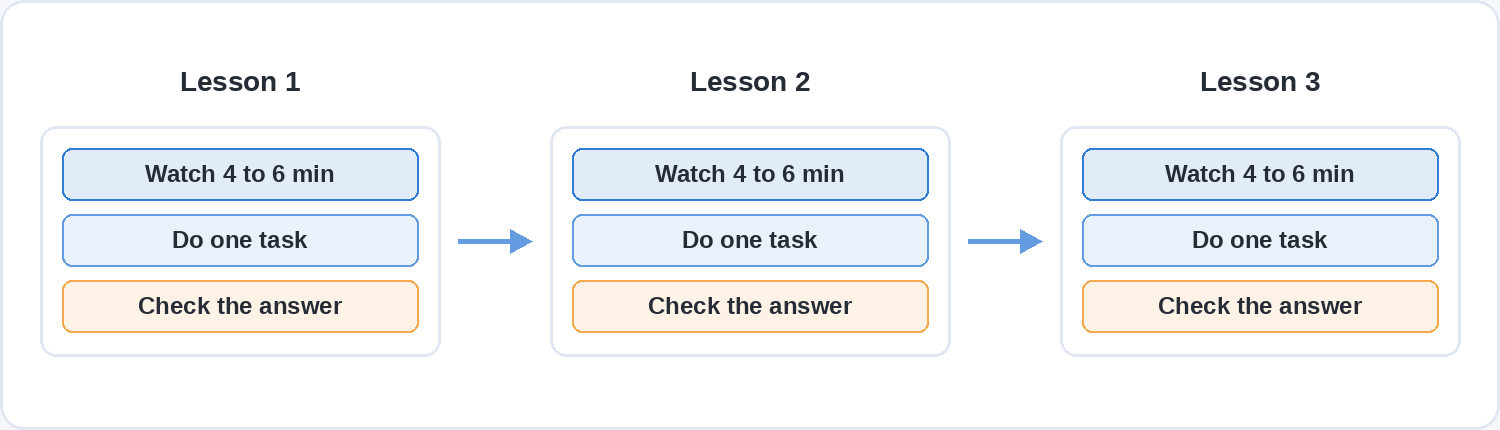
The practical version is a small task at the end of every lesson: three quiz questions, a worksheet to fill in, a file to open and change, one thing to try before the next video. It costs you a few minutes per lesson to write and it is the difference between a course people watch and a course people finish.
Give the answer straight afterwards rather than at the end of the module. Immediate feedback is one of the oldest results in instructional design, and it is one of the points where the three main learning theories actually agree with each other.
Step 6: choose where the course lives, and what that costs you
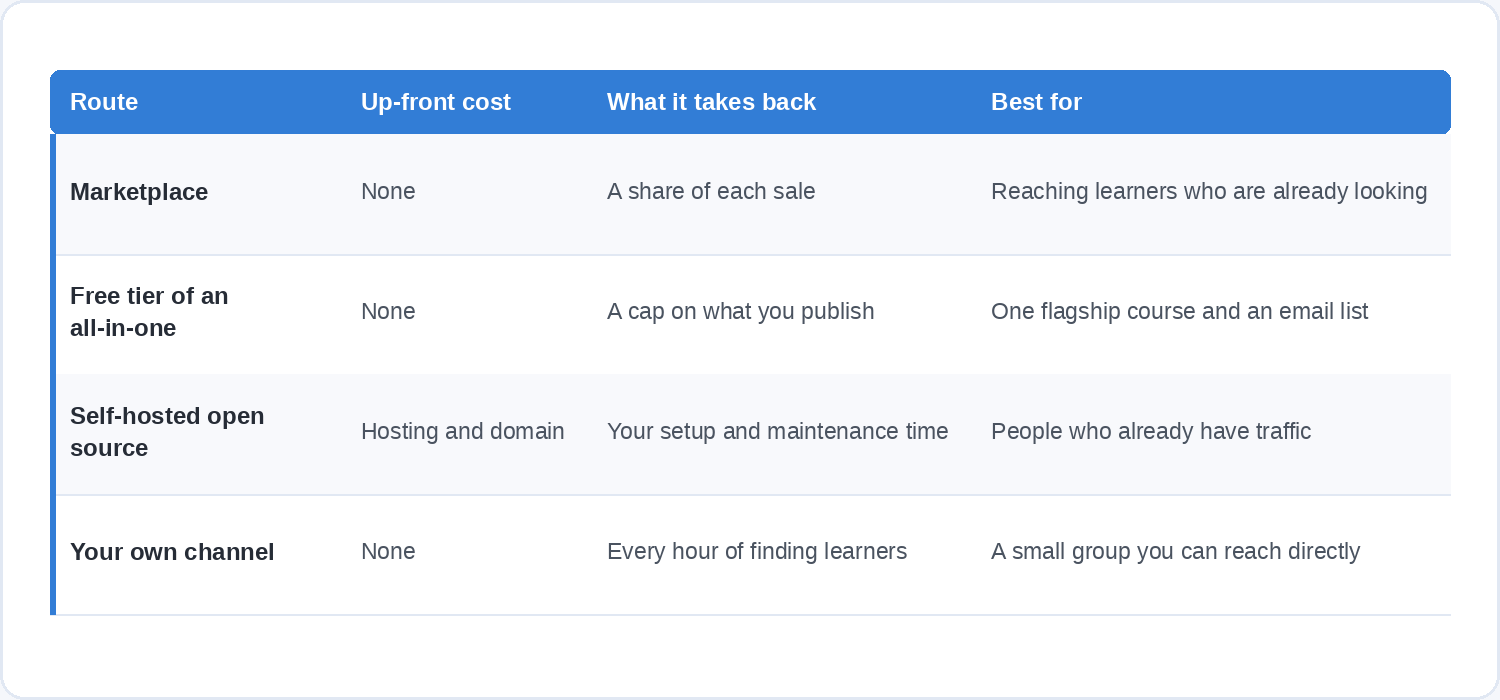
There are four realistic homes for a free-to-make course, and they charge you in different currencies.
A marketplace. Publishing costs nothing and the platform takes a share of each sale in exchange for hosting, payments, support and an audience that is already there. On Udemy there is no fee to create or host a course, and instructors receive 37% of revenue on sales the platform generates and 97% on sales made through their own coupon or referral link, calculated on the net amount after taxes and store fees. On Soofos publishing is also free, with 50% of the revenue when a learner finds the course through the catalogue and up to 96% when you bring the learner yourself, plus monthly payouts and a share of watch time from subscribers. The trade is straightforward: you give up a percentage and you stop being responsible for the plumbing.
A free tier on an all-in-one tool. Systeme.io has a free plan that does not expire and does not ask for a card, covering one course, unlimited students, 2,000 contacts and three sales funnels, with no transaction fee. One course is the binding limit, which makes this a good fit for a single flagship free course used to build an email list, and a poor fit for anyone planning a catalogue.
Open source software on your own hosting. Moodle is free and open source and you install it on a web host. Tutor LMS is free in the WordPress plugin directory and gives you unlimited courses and lessons, quizzes and certificates before you pay for anything. The software costs nothing and hosting, a domain, backups and your own time do, so this route is better described as cheap and entirely yours than as free.
Your own channel. An unlisted video playlist, a simple page and an email list will deliver a free course to a hundred people perfectly well. There is no platform cut, no cap, and no built-in way for anyone to discover you, so the cost is every hour you then spend finding learners.
For a first free course, the two routes that finish are usually the marketplace and the single free tier. Self-hosting rewards people who already have traffic, and it punishes anyone who wanted to spend the weekend teaching rather than configuring a server.
Step 7: publish the small version, then improve it with real data
Publish once the course delivers its outcome, rather than waiting until it covers the whole subject. A six-lesson course that works is a finished product, and the thing that makes version two good is watching what happens to version one.
Three signals are worth acting on. The questions learners ask are the lessons you did not record, so the answers you find yourself typing twice belong in the course. The point where people stop watching is almost always a lesson that runs long or assumes a step you skipped. The task nobody completes is a task that was unclear rather than a task that was hard.
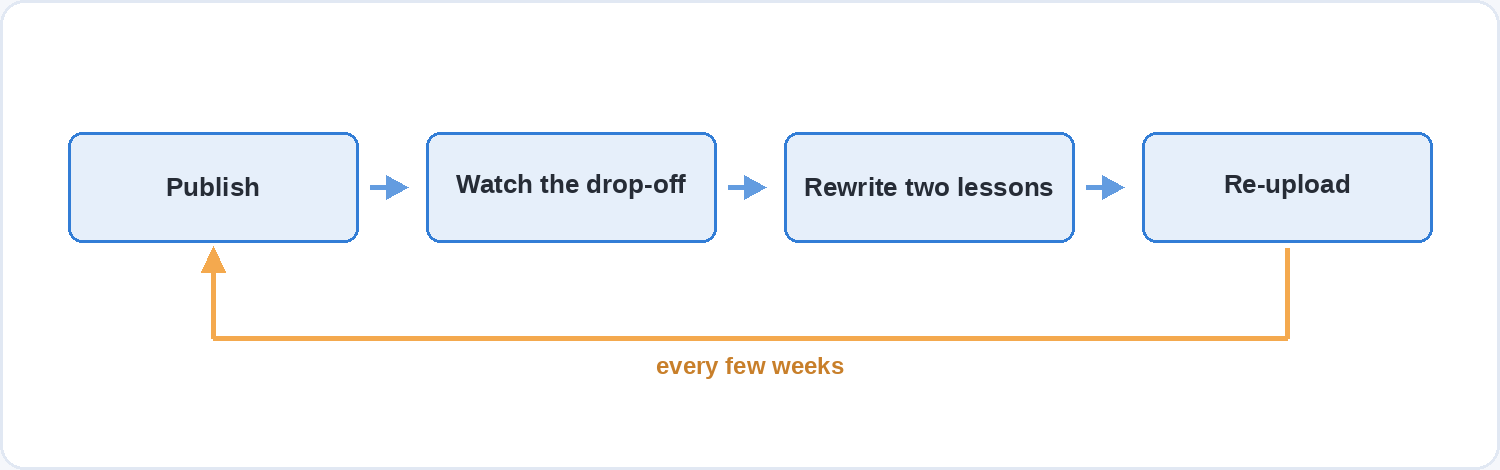
Give it a few weeks and a real cohort before you rebuild anything, then re-record the two or three worst lessons. On most platforms that is a file swap rather than a relaunch, and the course keeps its reviews and its place in the catalogue.
Questions people ask before they publish
Do you need a qualification to teach an online course?
No. What platforms check is the course, not your certificates. Soofos reviews every course before it goes live and asks for knowledge that matches the subject, mostly self-made video at 720p or better with clear audio, and a complete course with a real learning outcome. Practical experience in the thing you are teaching counts for more than a teaching qualification, and a portfolio of work usually counts for more than either.
How long should a whole free course be?
Long enough to deliver one outcome, which in practice is 30 to 90 minutes of video split into six to twelve lessons. A free course is an introduction and a demonstration of how you teach, so a 20-hour free course is both harder to finish and less likely to be started than a focused hour.
Can you charge for a course you first published for free?
Usually yes, and it is a common path: publish free, learn what people struggle with, then build the paid course around those gaps. Check the terms of the platform you used, particularly around exclusivity. Soofos states that you keep ownership of everything you make and may also offer the same course elsewhere, which is the condition to look for.
What is the smallest amount of gear that actually works?
A laptop, a microphone and a phone camera at 720p or better. Everything else is an improvement rather than a requirement, and OBS Studio, DaVinci Resolve’s free version and Canva’s free plan cover recording, editing and design between them without a payment.
Is a marketplace or your own site better for a first course?
A marketplace, in most cases. It supplies the thing a first-time course maker is least equipped to build, which is an audience already looking for what you teach, and it removes the payment, hosting and support work. Your own site becomes the better answer once you have a list of people who already read or watch you, because then the platform’s share is buying you something you already have.
How many lessons should you record before you publish?
All of them, and there should not be many. A course released one lesson a week can work when you already have an audience waiting, and it is a hard first project because the deadline recurs whether or not your week went well. Record the six to twelve short lessons, publish the finished thing, and use the second course to try a different format.
Start with the platform side already built
If you would rather spend your time teaching than configuring a server, publishing on Soofos is free and the platform handles the course page, the video hosting, the payments and the learner support. You set your own price, keep ownership of everything you make, and the application takes about five minutes to fill in. Have a look at teaching on Soofos and see whether your subject fits.