










Most work texts aren’t hard to read because the writer can’t write. They’re hard to read because the point is hidden halfway down. These writing tips help you make your emails and reports clearer, and each one comes with a short before-and-after example so you can see the difference straight away.
Why clear writing saves you time
You have probably read an email twice and still not known what the sender wanted. Or you asked a colleague a question, got a friendly reply of three paragraphs, and found that your question was not answered in any of them. Both happen for the same reason: the writer knew what they meant, and the text did not show it.
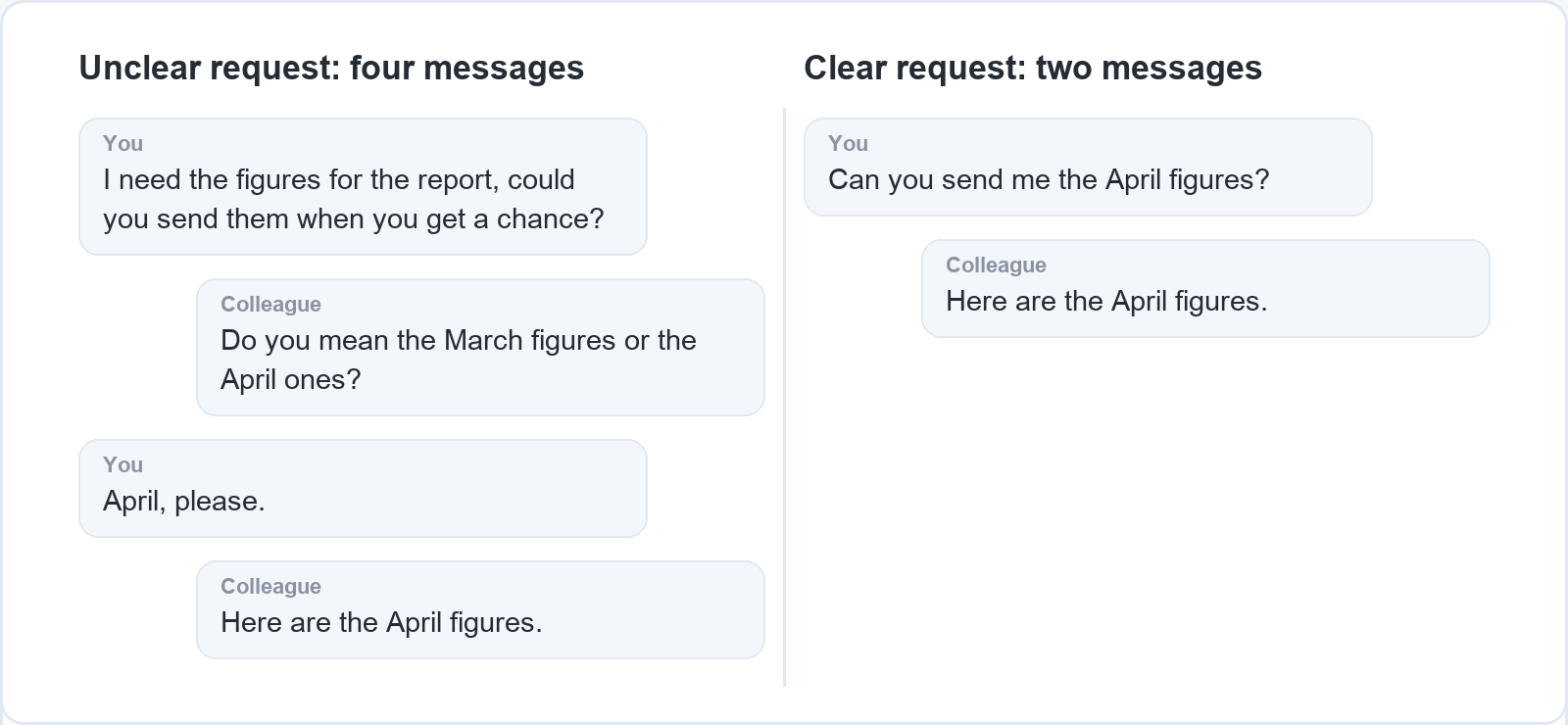
Clear writing helps the reader first, and it saves the writer time as well. When a message says what it needs on the first read, the reader answers it instead of writing back to ask whether you meant the March figures or the April ones. Every follow-up question costs you another email and another wait. With a colleague in a different time zone, one unclear request can cost a full working day, because the question and your answer each wait for the other person’s morning.
You don’t need a talent for writing to fix this. Clear work writing comes down to a few habits: short sentences, plain words, the main point at the top and a clear request. Each one can be learned and checked on the page, which is also why writing is one of the communication skills you can practise on your own (our article on hard skills vs soft skills explains how the two kinds of skill differ).
Every tip below comes with a short before-and-after example from an ordinary working week: a supplier delay, a report summary, a budget question, a project update. The examples are made up for this article, so you can borrow the pattern for your own messages.
Use shorter sentences
Give each sentence one idea. When a sentence carries two or three ideas, the reader has to hold the first one in mind while working out the second, and something gets lost on the way. Words like “and”, “which” and “however” in the middle of a long sentence usually mark the places where it can be split.
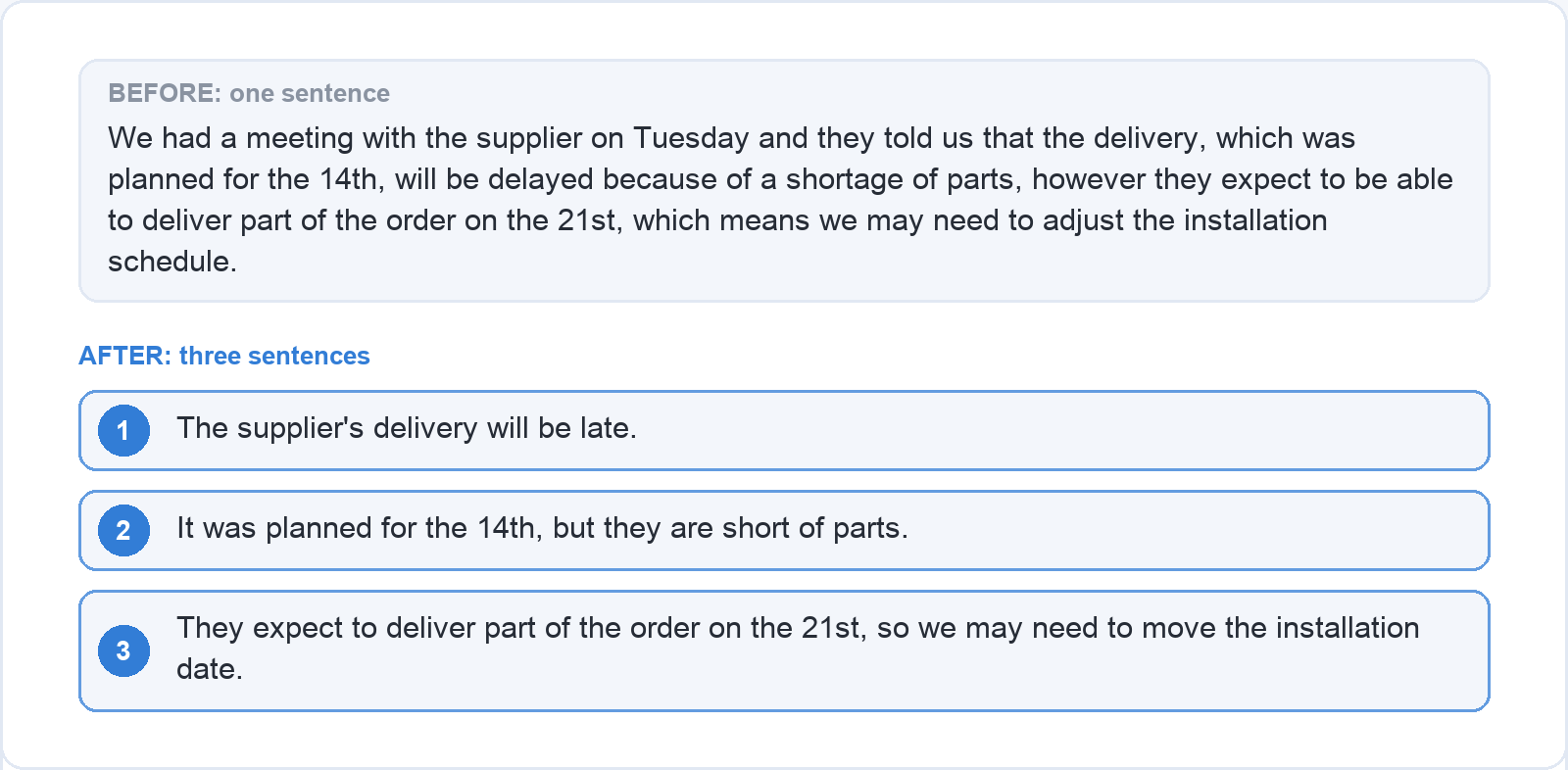
Before: We had a meeting with the supplier on Tuesday and they told us that the delivery, which was planned for the 14th, will be delayed because of a shortage of parts, however they expect to be able to deliver part of the order on the 21st, which means we may need to adjust the installation schedule.
After: The supplier’s delivery will be late. It was planned for the 14th, but they are short of parts. They expect to deliver part of the order on the 21st, so we may need to move the installation date.
The second version keeps every fact and drops only the joining words and the meeting on Tuesday, which the reader did not need. It also moves the most important fact, that the delivery is late, to the front.
Short sentences work best in a mix. A text made only of six-word sentences sounds choppy and a little curt, as if it were read out from a list. Use a short sentence for the key fact and a longer one to explain it, as the after version does with its last sentence.
A quick check works for any sentence: read it out loud. If you run out of breath before the full stop, the sentence is too long. If you have to go back to the start to remember what it was about, it carries too many ideas.
Choose plain words
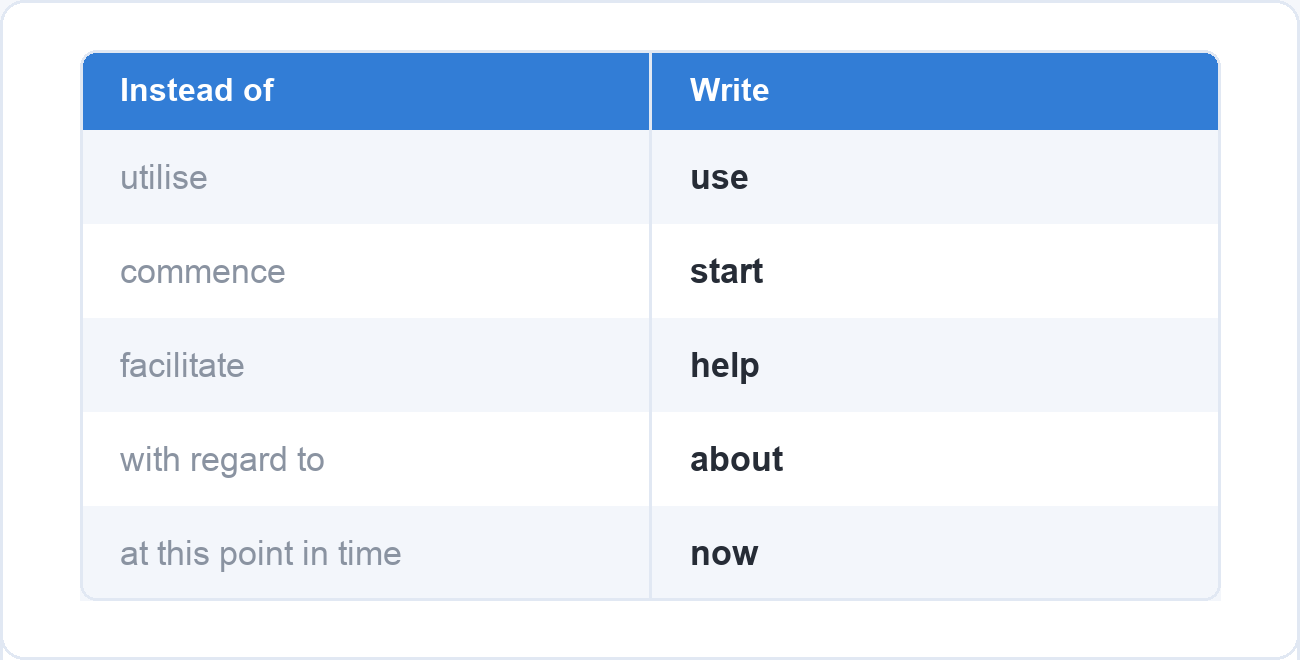
Pick the everyday word whenever there is one. Write “use” instead of “utilise”, “start” instead of “commence”, “help” instead of “facilitate”, “about” instead of “with regard to” and “now” instead of “at this point in time”. A formal word does not make the text more professional; it makes the reader translate it back into the plain one.
Jargon and abbreviations need the same care. An abbreviation your team uses every day, such as a project code or “the Q3 deck”, may mean nothing to someone in another department, a client or a colleague in their first week. Spell it out the first time you use it, or leave it out. This matters even more when your readers speak English as a second language. A plain word they learned at school is understood at once, while an idiom such as “touch base” or “move the needle” may have to be looked up or may be misread.
Before: Subsequent to the implementation of the new procedure, a significant reduction in processing time was observed, and it is recommended that the methodology be utilised across all regional offices going forward.
After: Since we started using the new procedure, processing takes much less time. We recommend using it in all regional offices.
Plain doesn’t mean childish. You still name the exact thing, give the numbers and use the technical terms your readers know: a report for the finance team can say “accrual” without explaining it. Plain means the reader understands the sentence the first time, without going back over it.
Put the main point first
Say what you want or what you’ve decided in the first sentence or two, and give the background after it. Most people write in the order they thought: what happened, what they considered, and finally what they concluded. The reader needs that order turned around, because the conclusion is the part they act on.
Before: Hi Priya, As you know, we’ve been looking at the training budget for next year. Last week I spoke with the team leads, and several of them mentioned that our current course provider doesn’t cover the software we moved to in the spring. I’ve also compared a few alternatives. Before I put anything in the plan, could you let me know whether we can move part of the budget to a new provider?
After: Hi Priya, Can we move part of next year’s training budget to a new course provider? Several team leads told me last week that our current provider doesn’t cover the software we moved to in the spring. I’ve compared a few alternatives and can send you the list.
In the first version Priya reads four sentences before she finds out that she is being asked something. In the second she knows it from the first line, and the background tells her why.
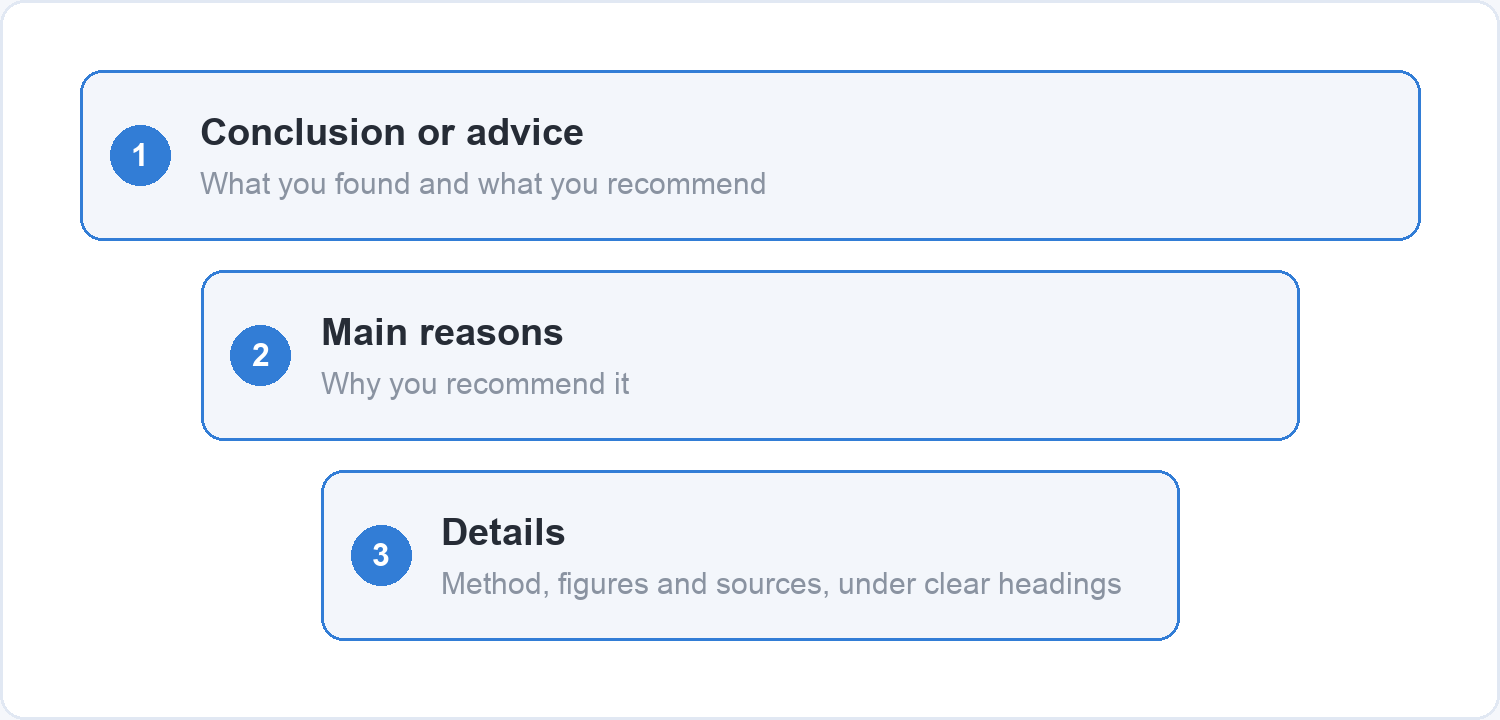
Reports work the same way. Start with the conclusion or the advice, then the main reasons, then the details for readers who want them. A manager who reads only the first paragraph should know what you found and what you recommend. A colleague who needs the method, the figures and the sources finds them further down, under headings that say what each section contains. That opening part is often called the summary or the key findings, and it is easiest to write last, once you know what the report says, even though it goes at the top.
A quick check for any email or report: if the reader only reads your first two lines, do they know what matters? If the answer is in your last paragraph, move it up.
Write emails people actually answer
Use a subject line that says what the email is about. In a full inbox the subject line is often the only part of your email someone sees before deciding when to open it. “Question” or “Update” tells them nothing, while “Training budget: can we switch provider?” or “Supplier delay: installation may move to the 21st” tells them what the email is about and whether it needs them today.
Then make clear what you need from the reader. An email without a clear request leaves the reader to guess whether they have to do anything, and “let me know your thoughts” is not a request. Write it as a question or an instruction, such as “Can you send me the April figures?” or “Please approve the quote below”, and put it near the top. If there is a real deadline, give the date and the reason: “by Thursday, because the order closes on Friday”. Don’t add urgency to a request that can wait, because the next time you write “urgent” it will carry less weight.
Keep to one topic per email where you can. An email that asks for figures, mentions your holiday dates and proposes a new meeting time will often get an answer to only one of the three. Two short emails with clear subject lines are easier to answer and easier to find again later.
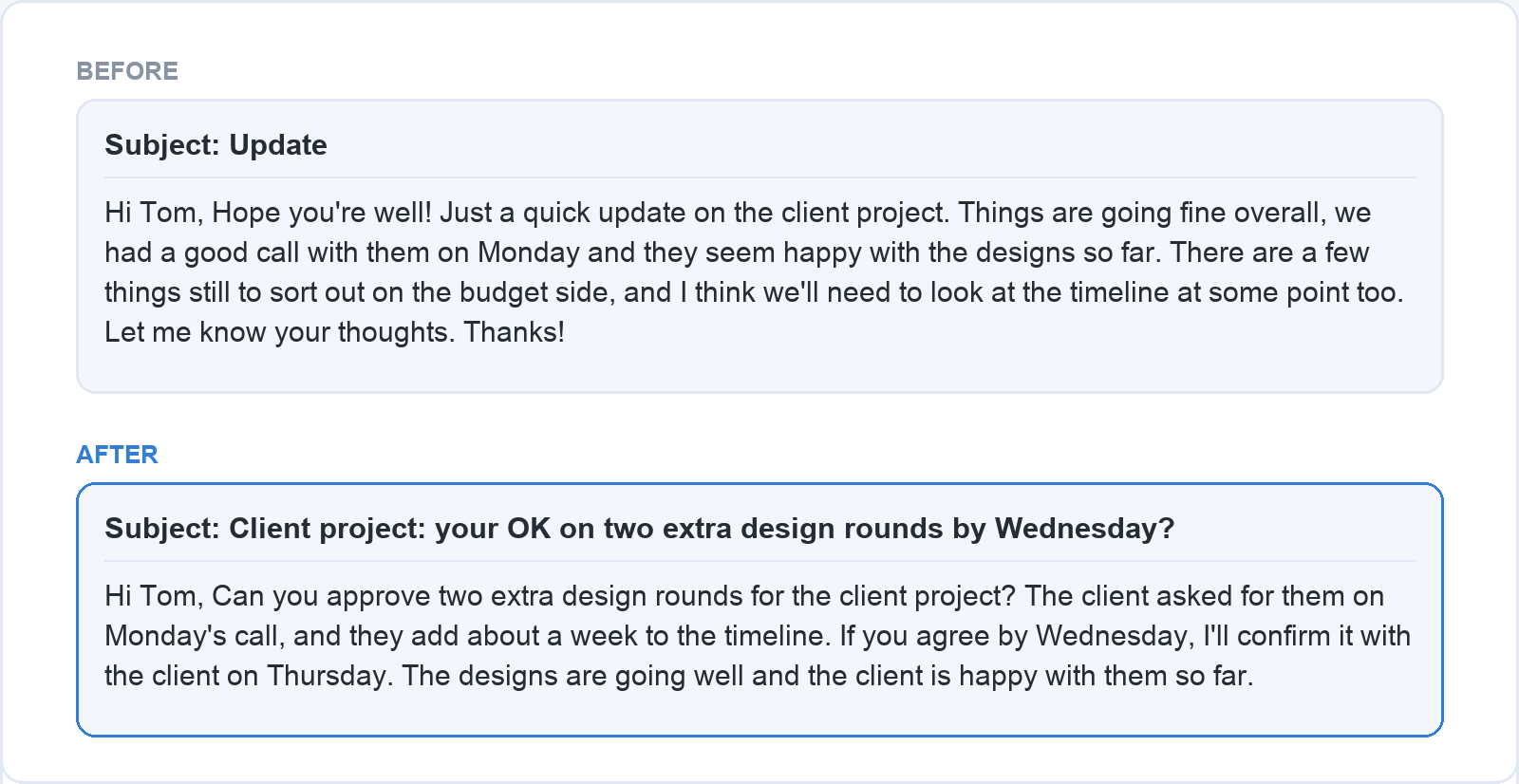
Before: Subject: Update. Hi Tom, Hope you’re well! Just a quick update on the client project. Things are going fine overall, we had a good call with them on Monday and they seem happy with the designs so far. There are a few things still to sort out on the budget side, and I think we’ll need to look at the timeline at some point too. Let me know your thoughts. Thanks!
After: Subject: Client project: your OK on two extra design rounds by Wednesday? Hi Tom, Can you approve two extra design rounds for the client project? The client asked for them on Monday’s call, and they add about a week to the timeline. If you agree by Wednesday, I’ll confirm it with the client on Thursday. The designs are going well and the client is happy with them so far.
The first email mentions a budget issue and a timeline issue but asks Tom for nothing specific, so he could read it, feel informed and move on. The second puts the decision in the subject line and the first sentence, and gives the date with its reason.
If you write a lot of work emails and want to practise this step by step, the course Writing Effective Business Emails covers it in seven short lessons: defining the goal of your email and your reader before you write, building a logical structure, choosing a tone that fits a close colleague or a new client, and reviewing your email before you send it. It also has a bonus lesson on using AI to draft and rewrite emails while keeping your own message and tone.
A short checklist before you press send
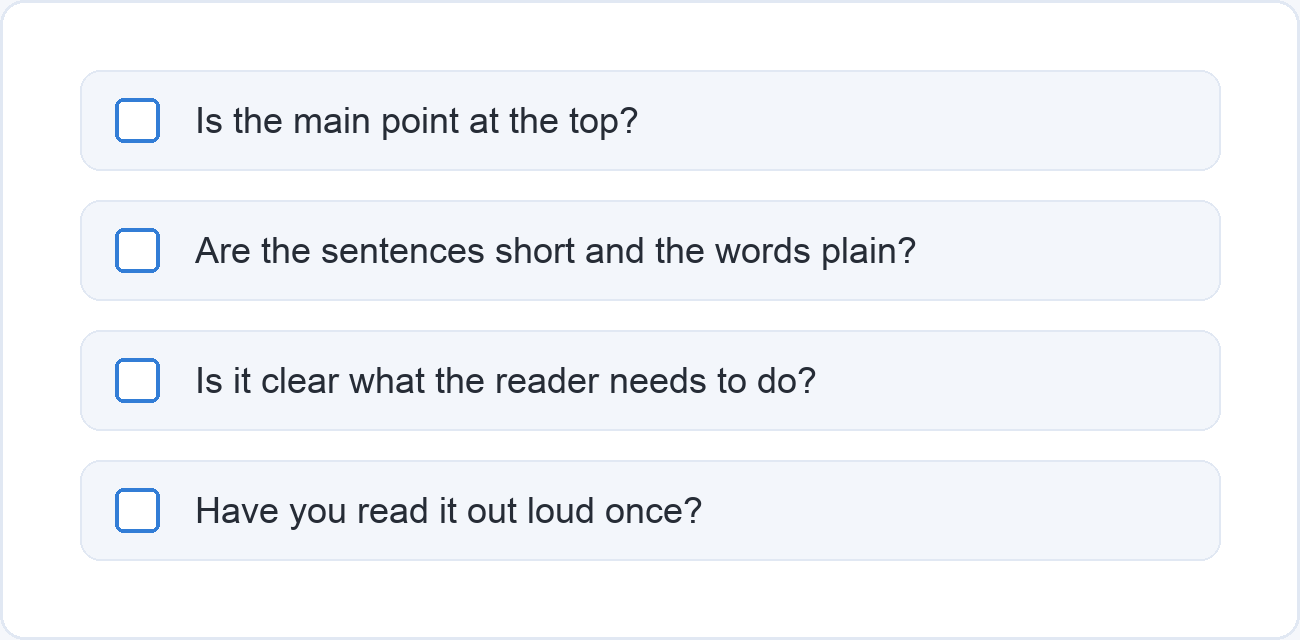
Before you send an email or hand in a report, read it once more with these four questions in mind.
- Is the main point at the top? The decision, the request or the conclusion belongs in the first two lines of an email, and in the opening paragraph of a report.
- Are the sentences short and the words plain? Split any sentence that carries more than one idea, and swap any word you would not use when talking to a colleague.
- Is it clear what the reader needs to do? Name the action, and the date if there is a real deadline.
- Have you read it out loud once? Your ear catches long sentences, missing words and a tone that comes across sharper than you meant.
Then send it. A clear email sent today is more use to everyone than a perfect one still in your drafts on Friday, so good enough beats perfect and unsent.
The course comes with practice files and exercises you can apply to emails from your own work right away. Start with Writing Effective Business Emails and use your next real email as the first exercise.