
Lots of people start learning to code and stop after a few weeks. That’s rarely because they can’t do it. Usually the way they picked didn’t fit their time or how they like to learn. Here are eight ways to learn to code, what each one is good and less good for, and how to keep going when it gets hard.
The short version: pick one small thing you want to make, choose a way of learning that fits the hours you really have, and combine it with practice on your own code as early as you can. The rest of this article helps you make those three choices.
Start with what you want to make
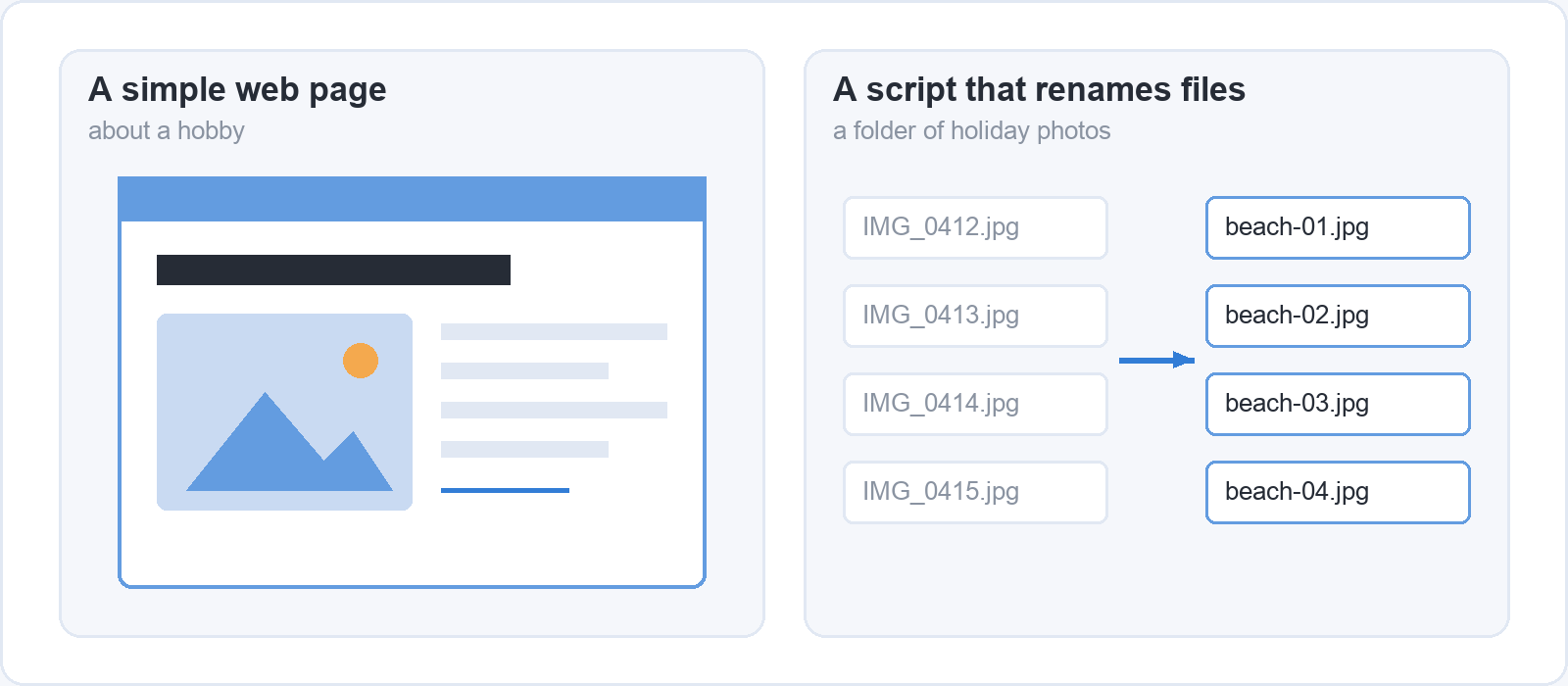
The best first step in learning to code is to choose one small thing you’d like to build, before you choose a way to learn. It can be a simple web page about a hobby, a script that renames a folder of holiday photos, or a small tool that tidies up a spreadsheet file you export every week. It should be small enough to finish in a few weeks and real enough that you would use it.
A clear goal does two jobs. It makes the choice of a way to learn easier, because you can ask whether a lesson, book or exercise gets you closer to that page or that script. And it gives you a way to see progress: three weeks in, you may still feel like a beginner, but if the page now has a heading, a photo and a working link, you can see that something has changed.
Then be realistic about your time. Count the hours you could put into coding in an ordinary week, with work, family and tiredness included, and write the number down. Two fixed hours a week that you keep will teach you more than ten hours you plan on a motivated Sunday and then skip. That number matters more than how motivated you feel today, and it is the number you’ll use in the section on choosing.
Ways 1 to 3: free online lessons, video courses and books
Free lessons, video courses and books are the three most common ways to learn the basics, and they differ mostly in how much structure and feedback they give you. All three explain what code does. The difference is in how you take it in and what happens when you get stuck.
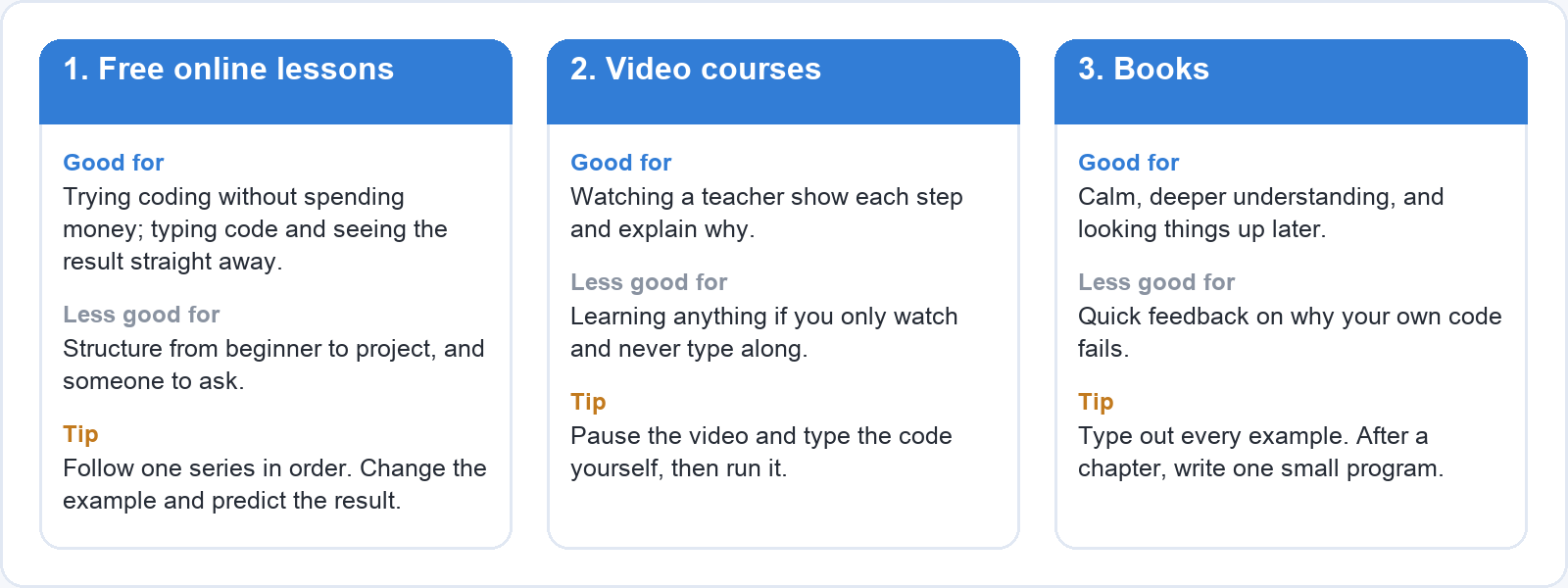
1. Free online lessons
Free online lessons are good for trying coding without spending money. You can find out whether you enjoy it before you commit to anything, and many free lessons let you type code in the browser and see the result straight away. They are less good when you need a clear route from beginner to finished project, or someone to ask when a lesson stops making sense. Free material is often a loose collection of pages rather than a course, so it is easy to jump around and repeat the easy parts.
To get the most out of it: pick one series of lessons and follow it in order, instead of collecting tabs. When a lesson ends, change one thing in the example code and predict what will happen before you run it.
2. Video courses with a teacher
Video courses are good if you like to watch someone show you each step and explain why they do it. A good teacher shows you how they think: where they look first when something breaks, how they name things, what they do when the code doesn’t run. They are less good if you only watch. Watching someone code feels like understanding, but your hands haven’t learned anything until you have typed it yourself.
To get the most out of it: pause the video and type the code yourself, then run it. If you can, try the next step on your own before you press play again and watch how the teacher does it.
3. Books
Books are good for calm, deeper understanding. A well-written book explains ideas in a careful order, and you can go back to a chapter months later when you need it. They are less good for quick feedback, because a book can’t tell you why your own code fails. You can read a whole chapter, agree with all of it, and still get stuck the first time you write a line without the book open.
To get the most out of it: keep your editor open next to the book and type out every example. At the end of each chapter, close the book and write one small program that uses what the chapter covered.
Ways 4 to 6: short exercises, your own project and learning with others
Short exercises, a project of your own and learning with others are the ways that turn what you’ve read into something you can do. They work best next to one of the first three ways rather than on their own.
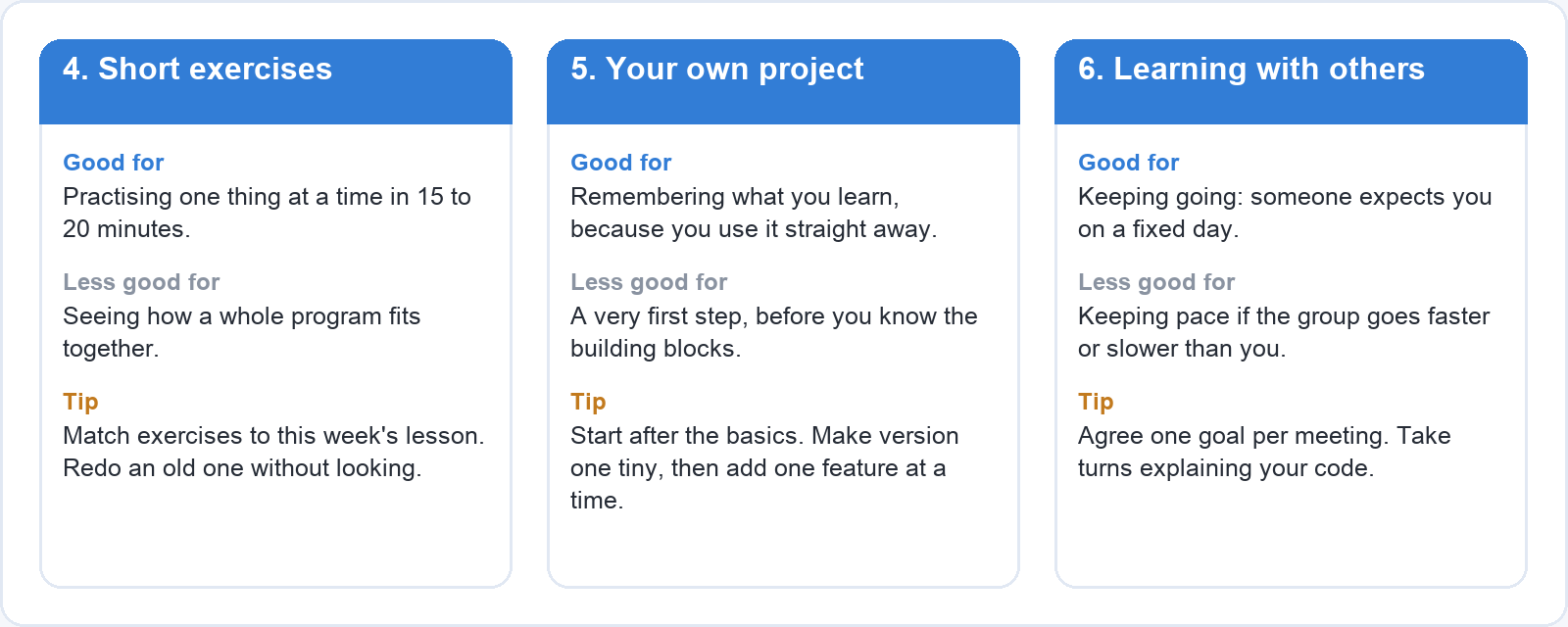
4. Short coding exercises
Short exercises are good for practising one thing at a time in small blocks of time. A single exercise asks you to do one task, such as reversing a list or counting the words in a sentence, and you can finish it in fifteen or twenty minutes on a lunch break. They are less good for learning how a whole program fits together. You can solve a hundred exercises and still not know how to start a program that reads a file, changes it and saves the result.
To get the most out of it: pick exercises that match what you learned that week, and redo one you solved a few days ago without looking at your old answer.
5. A small project of your own
A project of your own is good for remembering what you learn, because you use each new idea straight away and for a reason you care about. It is also where you meet the real problems: an error message you have never seen, a file in the wrong folder, a piece of code that worked yesterday. It is less good as a very first step when you know nothing yet, because you can’t plan something when you don’t know what the building blocks are.
To get the most out of it: start the project once you know the basics, which for most people is after a few weeks of lessons. Make the first version as small as you can, get it working, and add one feature at a time.
6. Learning with others
Learning with others, such as a study group or a friend who is learning too, is good for keeping going. When someone expects you on Thursday evening, you show up, and explaining a problem out loud often shows you the answer before the other person has said a word. It is less good if the group goes faster or slower than you. A group that races ahead leaves you copying code you don’t understand, and a group that moves slowly can make you lose interest.
To get the most out of it: agree on one shared goal for each meeting, such as finishing the same lesson or showing each other one thing you built. Take turns explaining your code to the others.
Ways 7 and 8: a mentor and an intensive programme
A mentor and an intensive programme are the two ways that put an experienced person between you and your mistakes. They give you the most feedback, and they are also the hardest to arrange.
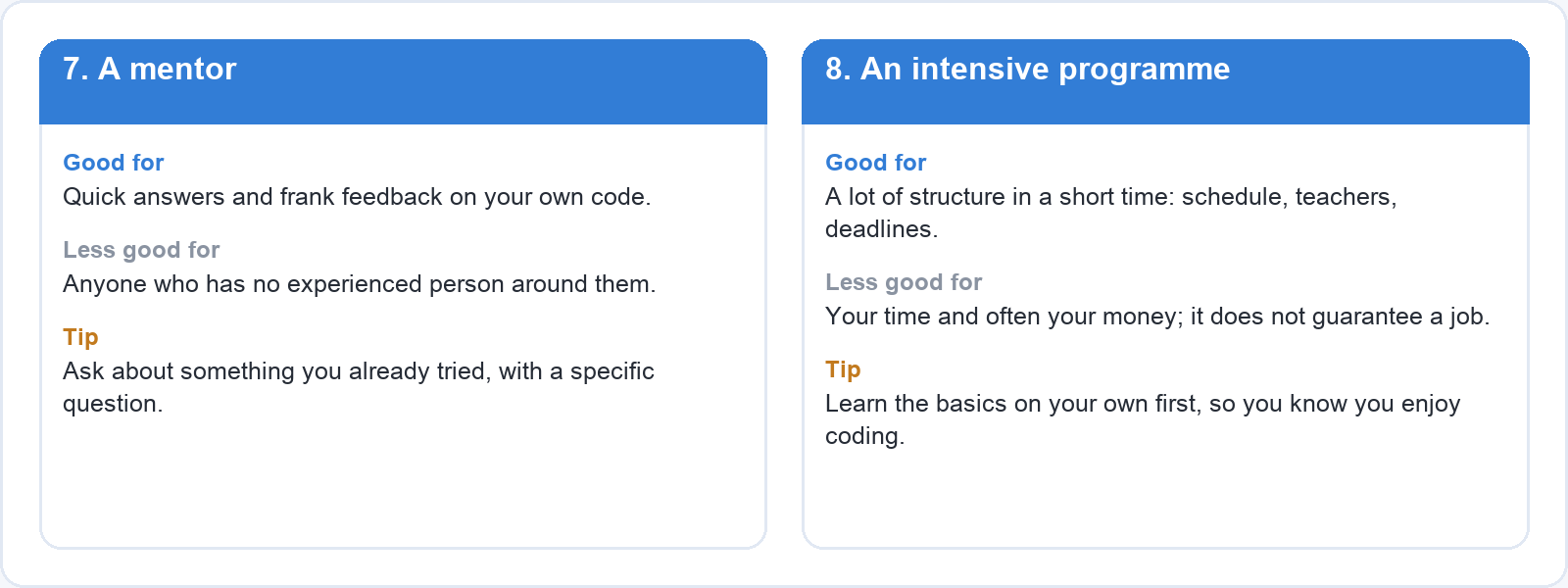
7. A mentor
A mentor, or anyone more experienced who looks at your code, is good for quick answers and frank feedback. A developer who reads your code for ten minutes can often point out a habit that would have cost you weeks, such as copying the same block in five places instead of writing it once. It is less good if you don’t have anyone like that around you, and regular help from a stranger is hard to arrange.
To get the most out of it: ask for review of something you have already tried, with a specific question, such as “this works, but is there a simpler way to write the loop?”. A mentor’s time goes much further on a real attempt than on “where do I start?”.
8. An intensive programme
An intensive programme, such as a bootcamp, is good if you want a lot of structure in a short time. You get a fixed schedule, teachers, deadlines and a group, usually for several weeks or months of full-time or evening study. It is less good because it costs a lot of time and often a lot of money, and it is hard to combine with a full-time job or young children.
An intensive programme is not a guarantee of a job. It can teach you a great deal in a short time, but employers look at what you can do, and the people who do well after a programme usually kept building and applying long after it ended. If you’re considering one, ask the provider what former students did afterwards and how they count that, and read the terms before you pay.
To get the most out of it: learn the basics on your own first, through free lessons or a book, so you know you enjoy coding before you commit that much time and money.
How to choose a way that fits your time and goals
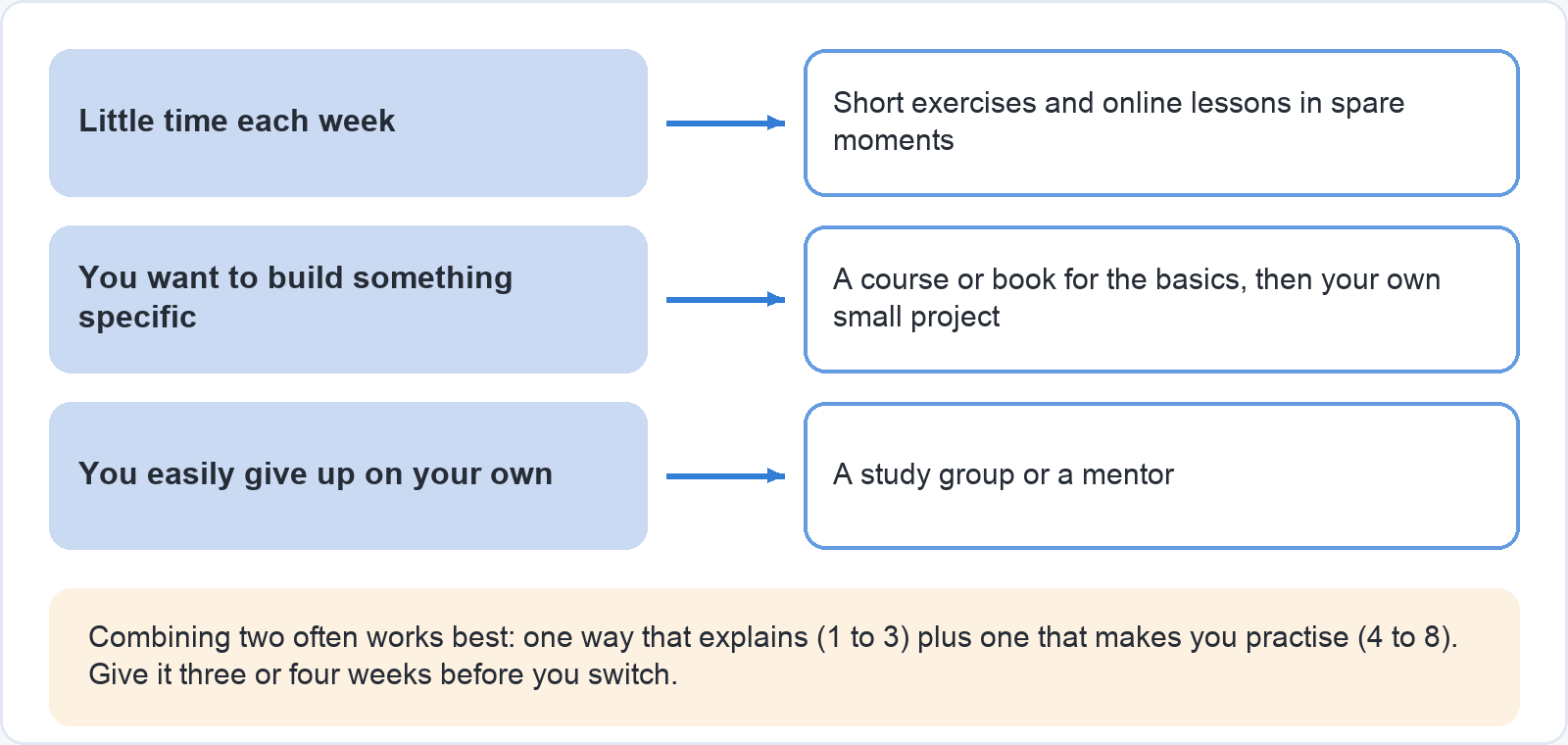
The right way to learn to code is the one that fits the hours you wrote down earlier and the thing you want to make. Use your situation to choose.
If you have little time each week, choose short exercises and online lessons you can do in a spare moment. Twenty minutes on a weekday morning is enough for one lesson or one exercise, and doing it four times a week keeps the basics fresh.
If you want to build something specific, use a course or a book for the basics, then start your own small project as soon as you can. The course gives you the building blocks, the project tells you which ones you need, and you go back to the course to look things up.
If you easily give up on your own, pick a way with other people in it, such as a study group or a mentor. A fixed meeting or a review session gives you a reason to have done something by a certain day.
Combining two ways often works better than one. A video course plus a small project is a common pair: the course explains, the project makes you use it. Exercises plus a study group works well for people with little time. The first three ways explain and the next five make you practise, so a good combination usually takes one from each half.
Whatever you choose, give it a fair try for three or four weeks before you switch. Every new course starts again with the basics, and people who change method each time it gets hard can spend months going over the same beginner material and never reach the part where they build something.
How to keep going when it gets hard
Getting stuck is a normal part of learning to code, not a sign that it isn’t for you. Experienced developers also read error messages, search for answers and try again; they have simply learned to expect it as part of the work.
When you are stuck, make the next step very small. Instead of looking at everything you still don’t know, choose one lesson to finish or one error to fix today. Read the error message slowly, find the line number it gives you, and change one thing at a time, running the code after each change so you can see which change made the difference.
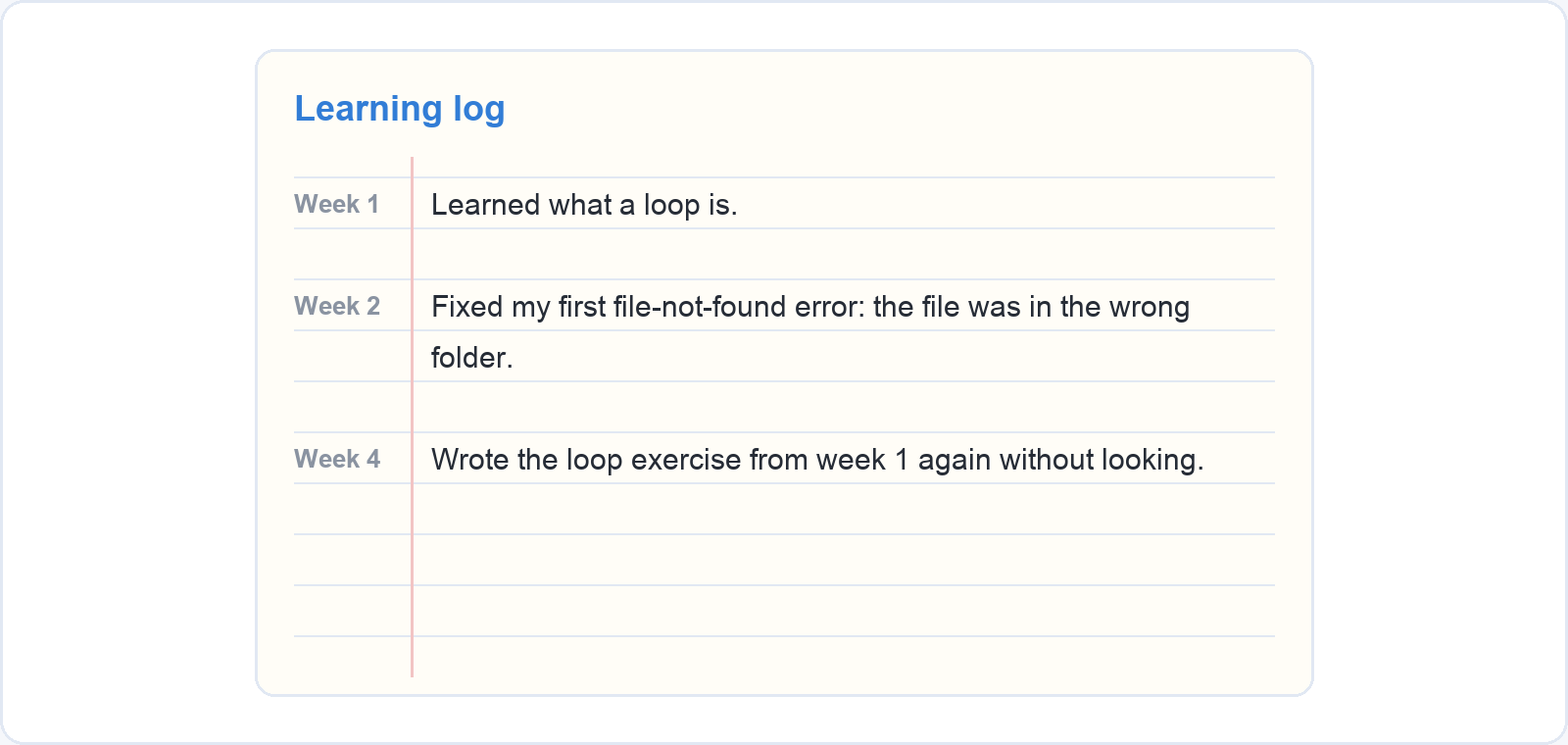
Write down what you learned each time you sit down to code: one or two lines in a notebook or a text file, with the date. “Learned what a loop is.” “Fixed my first file-not-found error: the file was in the wrong folder.” After a month you can read back through the list and see how far you have come, which is hard to notice from one evening to the next.
Go back over old lessons now and then so the basics stay in your head. Once a week, try to write a piece of code from an earlier lesson without looking, then check it. It feels slower than moving on to something new, but testing yourself like this is one of the study methods with the strongest evidence behind it, as our overview of ten ways to learn more easily explains. If you want a proper method for this, our course Learn smarter: remember what you learn walks you through how to remember what you study: testing yourself instead of rereading, spreading your repeats over days and weeks, and building a weekly study plan that fits around work and family.
Your first step this week
Your first step is to pick one way from the list that fits your time right now: the one you can start this week with the hours you have, even if another way sounds better on paper.
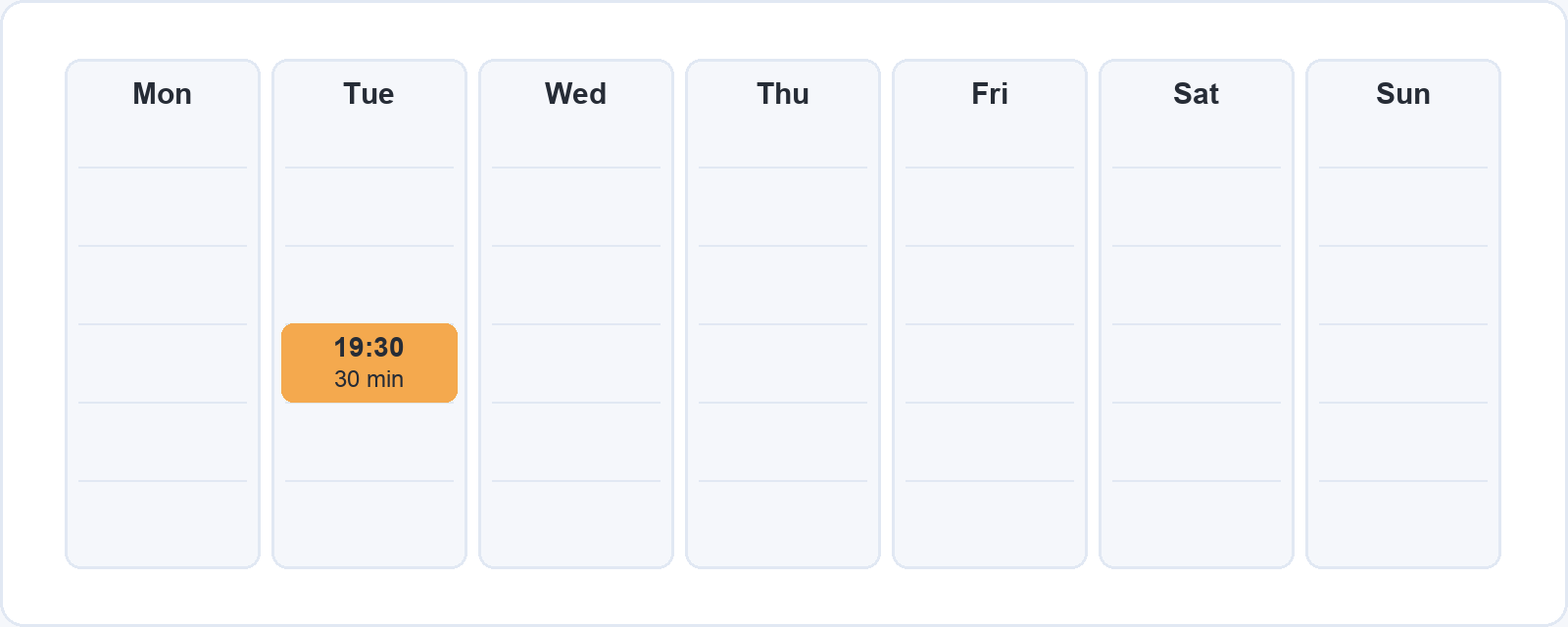
Then plan one short, fixed moment in your week to start, and put it in your calendar like any other appointment: Tuesday at 19:30 for thirty minutes, or Saturday morning before anyone else is up. Use that first session for one lesson, one exercise or one line of your own project, and write down what you did.
How fast you learn depends on your time, your goal and a lot of things nobody can predict, so we won’t make promises about weeks or months. What we can say is that people who keep a small, regular moment for learning get further than people who wait for a free weekend. If you’d like to get more out of each of those moments, Learn smarter: remember what you learn shows you how to study so that what you learn stays with you.